The System Usability Scale (SUS) is a quick, standardized survey method for measuring a product's perceived usability, useful for benchmarking, tracking usability over time, and comparing versions. Combining SUS scores with qualitative feedback gives teams a more well-rounded understanding of how users experience a product.

Ever wondered why some products feel intuitive and effortless while others seem overly complicated? The difference lies in their usability, and one of the best ways to measure it is through the System Usability Scale (SUS). Let's see how you can test your digital product's usability.
When should you use the system usability scale template?
You should use a system usability scale when:
You need a quick and easy way to measure overall user experience
You want a standardized measure for comparison
You need insights into user perceptions, not just behavior
You have limited resources or time constraints
Why should you use this template?
Quick and standardized measure of perceived usability.
Facilitates tracking changes in usability over time for improvements.
Useful for benchmarking and setting a baseline before design changes.
To compare usability between different products or services.
Compare usability across different designs or versions.
Offers a straightforward way to gauge overall user satisfaction.
{{cta-trial}}
How can you create a system usability scale template?
One of the biggest advantages of Qatalyst is that while there are ready-made templates, you can also create and save your own templates for future use. Let's look at how you can do this:
Log into Qatalyst—you will be taken to the dashboard.

From the dashboard, pick "Start From Templates."
Pick the "Start from scratch" option.

You can now rename this template and start adding the blocks you need.
For a system usability scale template, we recommend adding a combination of the Linear Scale blocks and the Short Answer blocks to get the responses you need. This is just a recommendation—you can customize it any way you want!
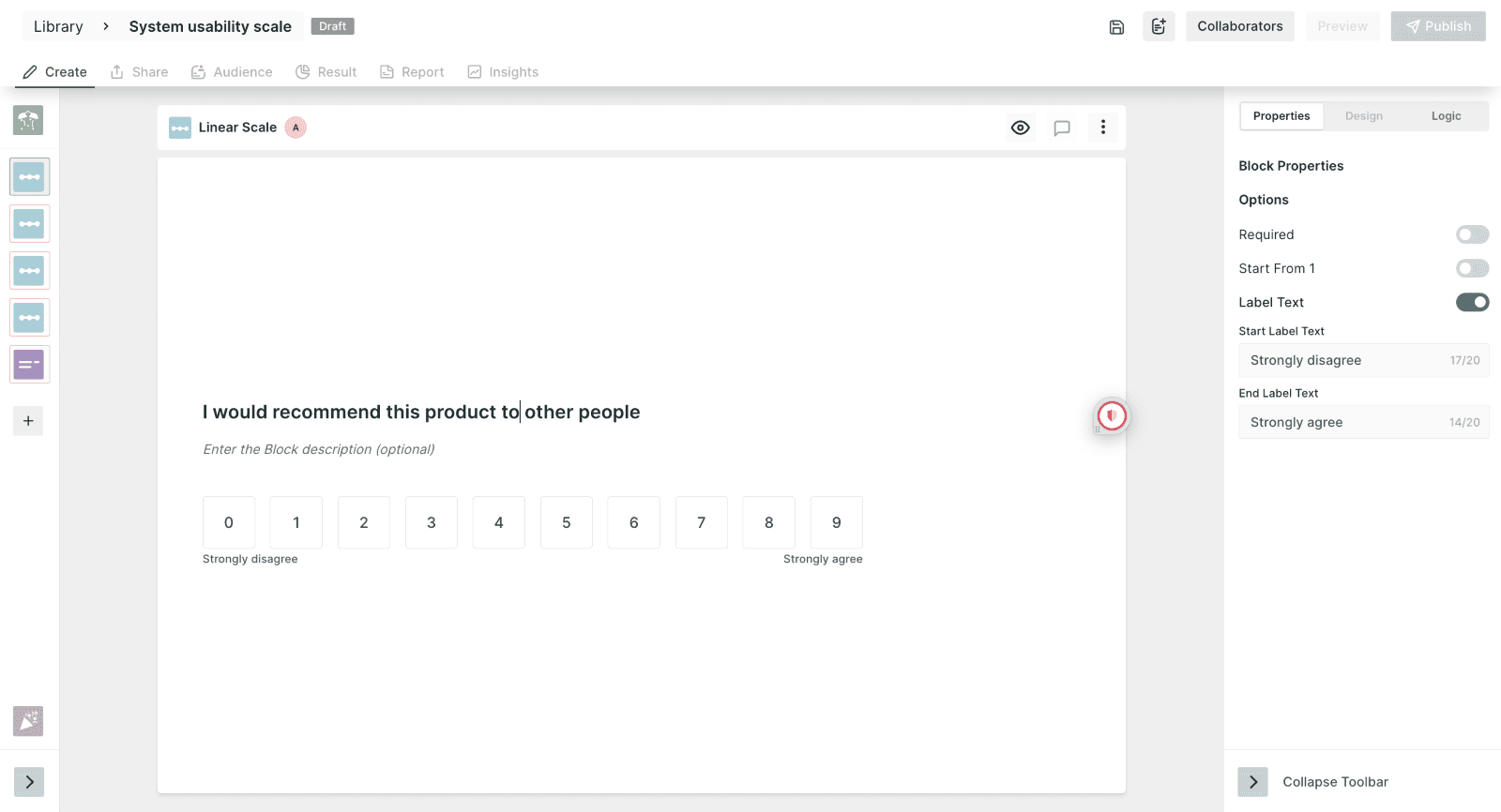
Save this template for future use by clicking on the icon right next to the "Collaborators" button.

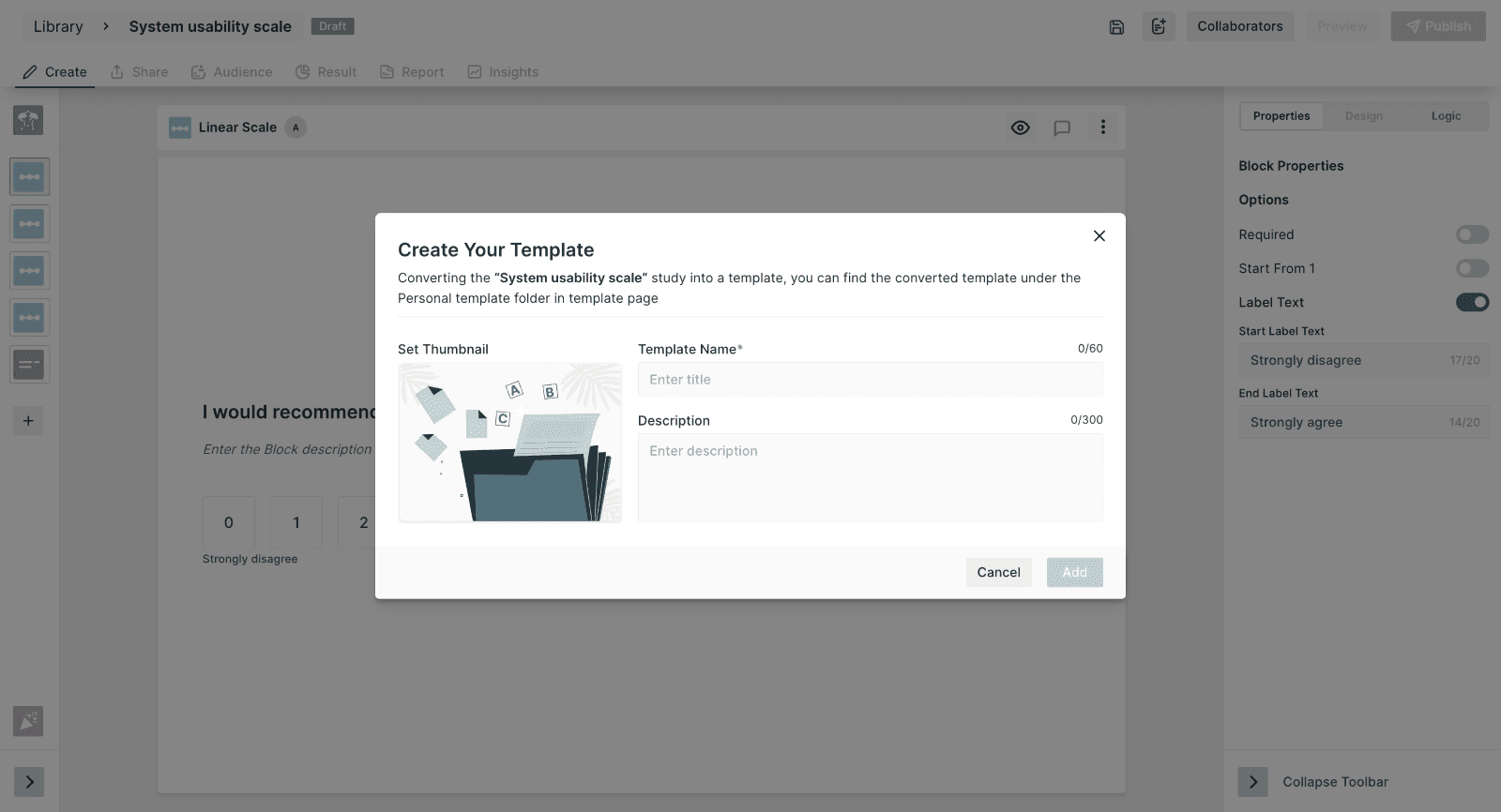
After you're finished setting up the test, just publish and share it with your respondents!
Best practices to follow while using the template
Define your goals and target audience well.
Clearly define the product or feature they should evaluate before taking the survey.
Interpret the score in context by comparing it to relevant benchmarks.
Track progress over time to minor changes in user experience.
Use the SUS as part of a comprehensive research strategy.
Combine the survey with qualitative data for well-rounded insights.
{{cta-trial}}
Frequently asked questions
1. What is the System Usability Scale (SUS)?
SUS is a standardized 10-item questionnaire that produces a single usability score out of 100, widely used to benchmark a product's overall usability.
2. How is the SUS score calculated?
SUS scores are calculated using a specific formula applied to the 10 alternating positive and negative statements, producing a final score between 0 and 100.
3. What is considered a good SUS score?
A SUS score above 68 is generally considered above average, while scores above 80 are considered excellent based on established industry benchmarks.
4. Why is SUS a popular usability measurement tool?
SUS is popular because it's quick to administer, has been extensively validated across industries, and provides an easily comparable single usability score.
5. When should the SUS questionnaire be administered during usability testing?
SUS is typically administered immediately after a participant completes a usability testing session, capturing their overall impression while the experience is still fresh.
Related Topic: